


Wreckreation - Car Damage Overview

Updated: Nov 28, 2025
Whenever a new car game releases, the immediate thing that comes to my mind is - what happens when things go wrong and there's a crash. And today's review we'll be looking at the recently released Wreckreation.
When it comes to deformation - it isn't dynamic. After inspecting several crashes you will end up noticing cars deform the same way, and at times you will see intact car parts right next to heavily damaged ones. It will however deliver very noticeable feedback in the crash cam. That is a feature in the game, and in a game like this it is a very fun one to have.
As for car parts coming off, this one is even more basic than the deformation, You'll have hoods, doors, trunks and bumpers come off, and that's about it. A fun oddity is that I've seen parts "regrow" on a crashed car when you get into photo mode. In one instance I had a bumper regrow as I was inspecting the results in the photo mode.
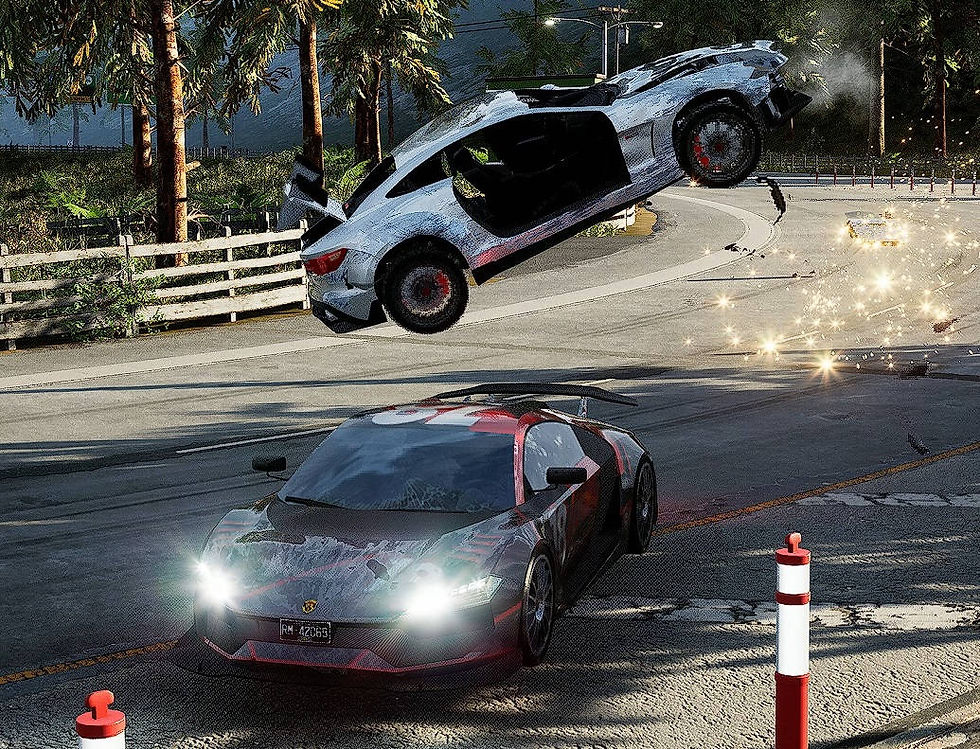

There is one dynamic feature for the damage - on mild collisions you will see scratching appear at the spot where you hit the other car, which is pretty cool. I believe the technique used for this is the "damage painting" one we see in some games where it reveals an overlay on a very specific part of the character. We've seen it used in games like Verdun to reveal a part of the blood overlay specifically at the point of impact, and it can be used even for a multi layer response. Examples are games like Half Sword or Dead Island 2. Anyway, just cool seeing it be used for car damage too.

And I should note that after the initial demonstration they added some debris to the crashes too. Nothing too fancy but it is nice to have.
In the bottom line, the damage was made to primarily look dramatic and nice in the brief 2-3 second crash cam and that's what we have.


Comments